

21 Best Call Tracking Software Reviewed In 2026

Best Call Tracking Software Shortlist


Call tracking software is a valuable asset for any company. With the right software, teams can boost their marketing ROI and improve customer interaction analytics. But finding the right call tracking software can be a challenge, especially with so many options available.
Using my experience with revenue operations software, I tested and compared several of the top call tracking software available. From there, I compiled my results into detailed reviews to help you find the best software for your needs.
Why Trust Our Software Reviews
We’ve been testing and reviewing revenue operations software since 2022. As revenue operations experts ourselves, we know how critical and difficult it is to make the right decision when selecting software. We invest in deep research to help our audience make better software purchasing decisions.
We’ve tested more than 2,000 tools for different revenue operations use cases and written over 1,000 comprehensive software reviews. Learn how we stay transparent & check out our software review methodology.
Best Call Tracking Software Summary
This comparison chart summarizes pricing details for my top call tracking software selections to help you find the best one for your budget and business needs.
| Tool | Best For | Trial Info | Price | ||
|---|---|---|---|---|---|
| 1 | Best with white-label branding options | Free demo available | Pricing upon request | Website | |
| 2 | Best for Call Management and Analytics | Free demo available | From $15/user/month (billed annually) | Website | |
| 3 | Best for AI-powered call tracking | 14-day free trial | From $19/user/month (billed annually) | Website | |
| 4 | Best for call-driven marketing insights | 14-day free trial + free demo available | From $45/month | Website | |
| 5 | Best for sales teams | Free demo available | Pricing upon request | Website | |
| 6 | Best for integration options | Free demo available | From $65/month | Website | |
| 7 | Best for efficient call management | 7-day free trial available | From $19/user/month + $5/additional user | Website | |
| 8 | Best for custom tracking | 14-day money-back guarantee | From $6/user/month (billed annually) | Website | |
| 9 | Best for combining call tracking and Voice API | Free trial available | From $0.005/message | Website | |
| 10 | Best for remote teams | Free demo available | From $5/month | Website | |
| 11 | Best for AI-driven conversation insights | Free demo | From $1000/month | Website | |
| 12 | Best for dynamic number insertion | 14-day free trial | From $30/month (billed annually) | Website | |
| 13 | Best for marketing agencies | Free trial available | From $35/month | Website | |
| 14 | Best for large enterprises | Free demo available | From $127/user/month (billed annually) | Website | |
| 15 | Best for SMS campaigns | Free demo available | From $99/month | Website | |
| 16 | Best for SIM and WhatsApp call tracking | Not available | From $5/user/month | Website | |
| 17 | Best for call analytics | Free demo available | Pricing available upon request | Website | |
| 18 | Best for automated engagement and tracking | 14-day free trial available | From $269/month for a single user and 200 new contacts per month | Website | |
| 19 | Best for toll-free numbers | Free demo available | From $250/month | Website | |
| 20 | Best for affiliate tracking | Free trial available | Pricing upon request | Website |
-

Pipedrive CRM
Visit WebsiteThis is an aggregated rating for this tool including ratings from Crozdesk users and ratings from other sites.4.5 -
Creatio CRM
Visit WebsiteThis is an aggregated rating for this tool including ratings from Crozdesk users and ratings from other sites.4.7 -
monday CRM
Visit WebsiteThis is an aggregated rating for this tool including ratings from Crozdesk users and ratings from other sites.4.6





Best Call Tracking Software Reviews
Below are my detailed summaries of the best call tracking software that made it onto my shortlist. My reviews offer a detailed look at the key features, pros & cons, integrations, and ideal use cases of each tool to help you find the best one for you.
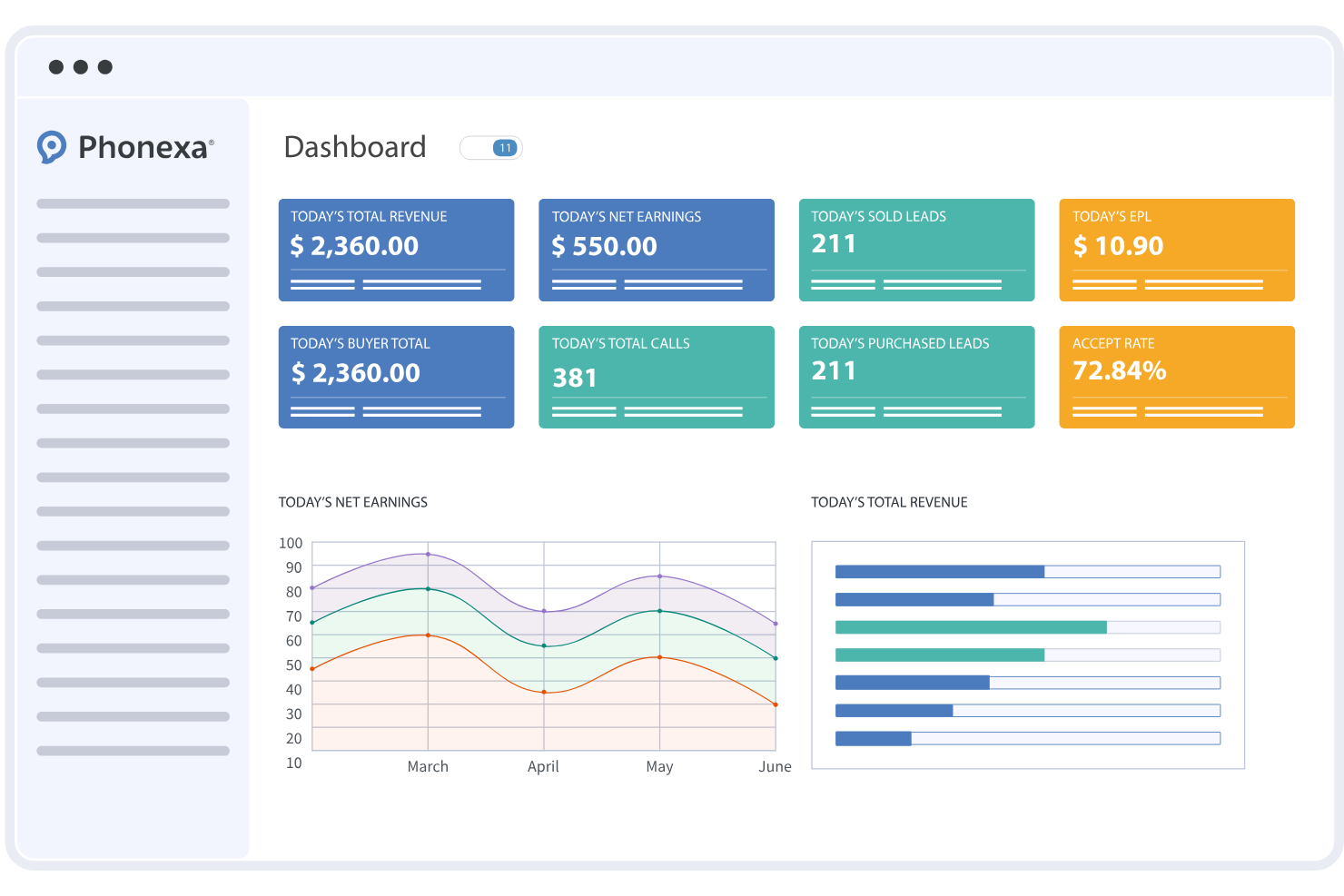
Phonexa is a call tracking platform that combines inbound call analytics, routing, fraud monitoring, and attribution tools in one system. It supports businesses and agencies that manage high volumes of calls across multiple campaigns and traffic sources.
Who Is Phonexa Best For?
Phonexa suits marketing teams, affiliate networks, and agencies that rely on inbound calls and need structured tracking, routing, and reporting across multiple channels.
Why I Picked Phonexa
I picked Phonexa because it allows agencies to fully white-label the call tracking experience for their clients. Teams can customize dashboards, reports, and notifications with their own branding. This makes it easier to deliver call analytics and routing tools under a unified agency identity.
Phonexa Key Features
- Call analytics dashboard: View real-time and historical call performance data in a centralized interface.
- Call routing and IVR builder: Configure routing rules and interactive voice menus to direct callers appropriately.
- Call recording: Record inbound and outbound calls for quality control and compliance purposes.
- Fraud detection tools: Monitor traffic quality and identify suspicious call activity.
- Lead distribution: Route calls and leads automatically based on custom criteria.
Phonexa Integrations
Phonexa integrates with Salesforce, HubSpot, Mailchimp, QuickBooks, Google Analytics, and Google Ads. An API is available for additional integrations.
Pros and Cons
Pros:
- Real-time call analytics and reporting dashboards
- Visual call flow builder for custom routing
- Advanced fraud detection for call and lead traffic
Cons:
- Setup process may require onboarding assistance
- No free-forever plan available

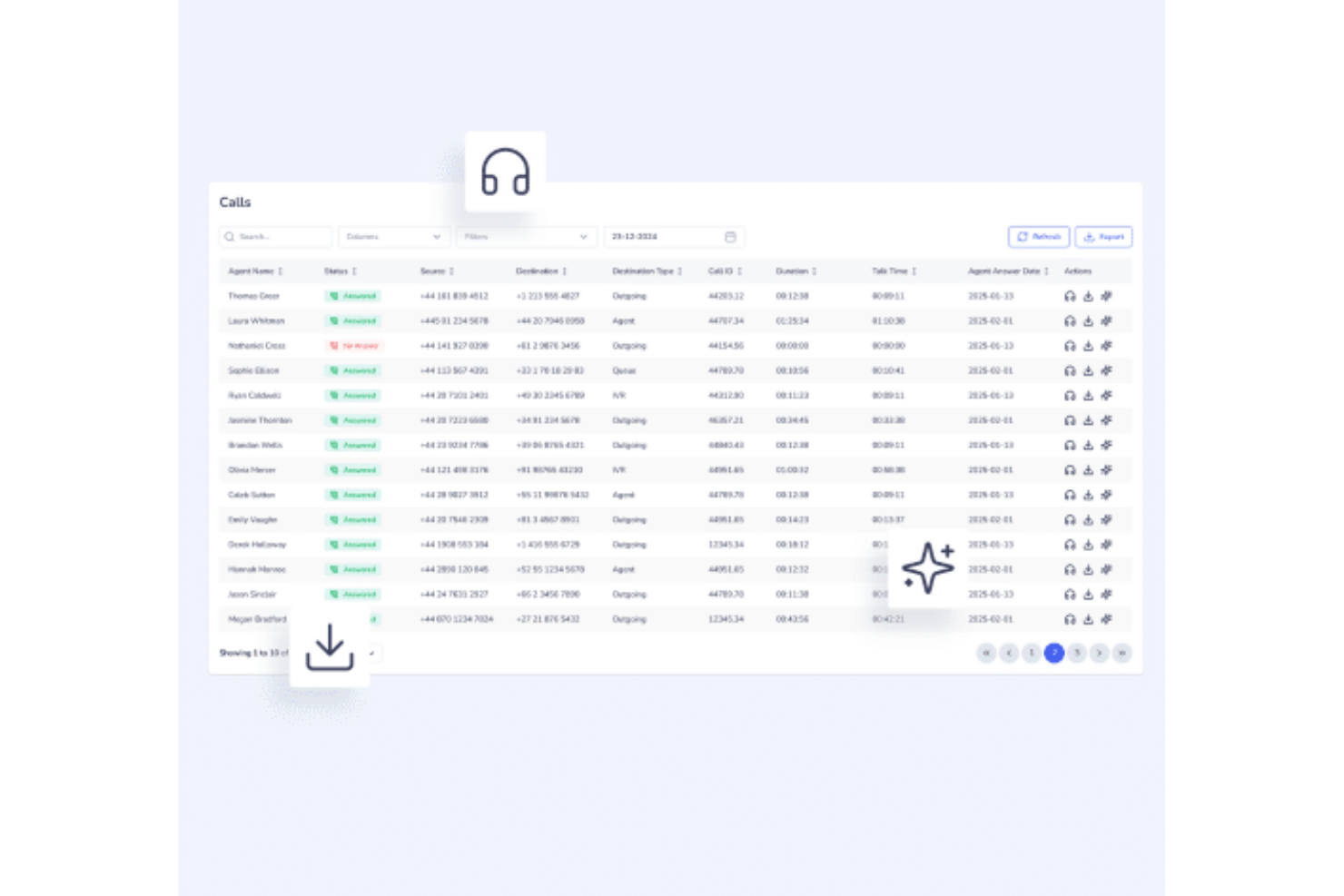
SquareTalk is a cloud-based call tracking and communication platform that centralizes inbound and outbound call management for sales, support, and service teams. It includes predictive dialers, AI voice agents, and omnichannel messaging—helping teams improve engagement, automate outreach, and track performance across multiple channels.
Why I picked SquareTalk: SquareTalk stands out for its blend of call management, analytics, and automation features. With tools like IVR, call recording, and AI-driven insights, leaders gain a clear view of call performance and agent productivity—crucial for optimizing customer engagement and revenue operations. Its global SIP trunking and virtual numbers also make it a flexible choice for international teams managing high call volumes.
Standout features & integrations:
Features include predictive dialers, AI voice agents, omnichannel messaging, custom workflow builders, spam filtering, and AI-powered analytics for performance tracking.
Integrations include Salesforce, HubSpot, Zoho, Freshworks, and Pipedrive, with API access for additional custom integrations.
Pros and Cons
Pros:
- Offers real-time analytics and monitoring for improved call performance visibility.
- Integrates with major CRM systems like Salesforce, HubSpot, and Zoho.
- Supports omnichannel communication for seamless customer engagement.
Cons:
- Advanced customization options may require technical setup.
- Requires a minimum of five users per plan.
New Product Updates from Squaretalk
Squaretalk Partners With CoinGate for Crypto Payments
Squaretalk has partnered with CoinGate to enhance crypto compliance for regulated markets. The partnership helps businesses support secure digital payments while improving compliance and financial management workflows. For more information, visit Squaretalk's official site.
 .
.
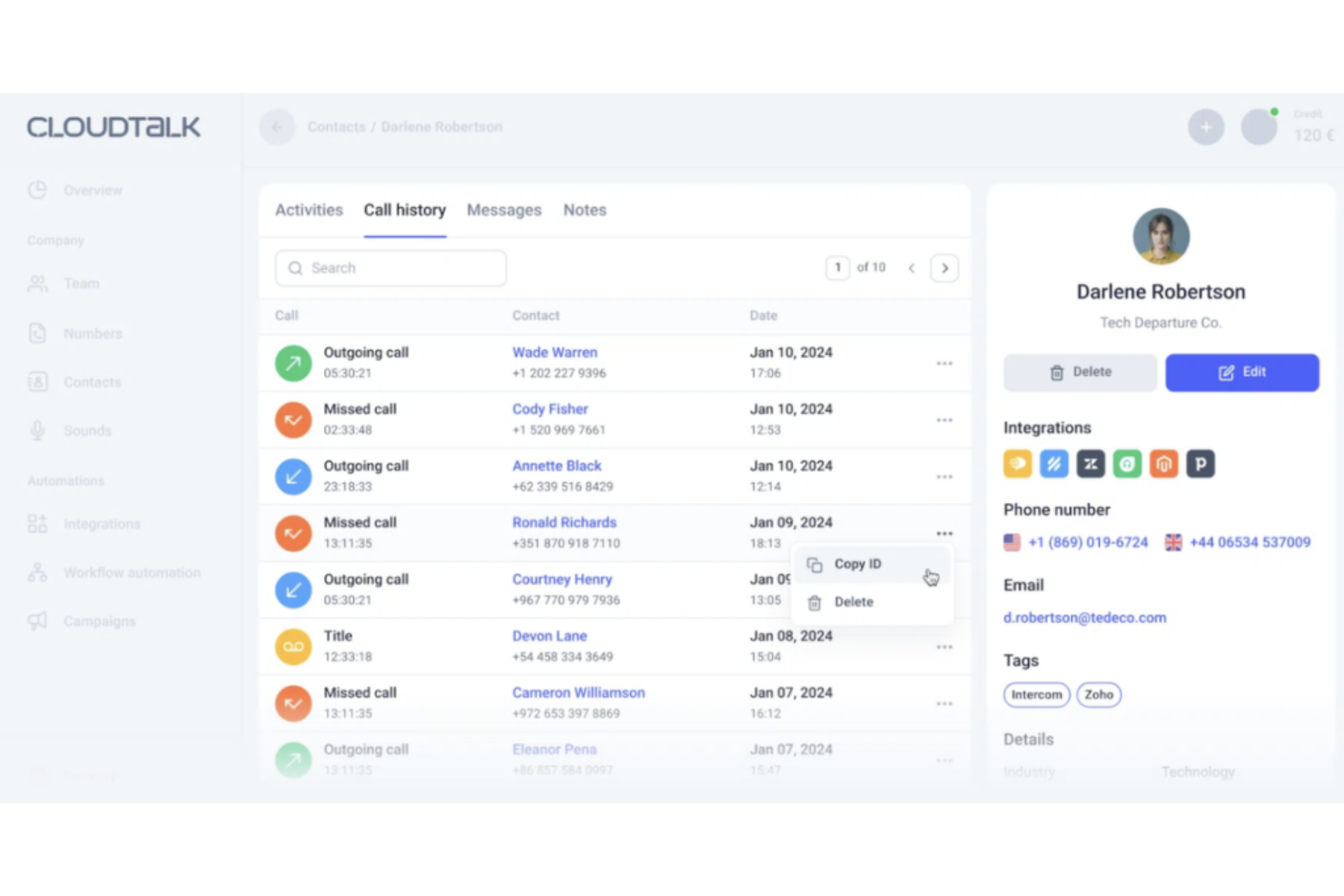
CloudTalk is an AI-powered business calling and call tracking platform that helps sales, support, and operations teams manage inbound and outbound conversations more effectively. It combines human and AI voice agents, global telephony infrastructure, and intelligent routing to make every call measurable and actionable.
Why I picked CloudTalk: I picked CloudTalk because it intelligently connects call performance to team workflows. Its AI conversation intelligence automatically analyzes every interaction, summarizing key topics, detecting sentiment, and generating call notes. This means you get structured insight into customer trends without having to listen to every recording. The post-call reporting dashboard lets you track call volumes, outcomes, and agent metrics in one view, while real-time monitoring allows managers to listen in, whisper advice, or join live calls when needed.
Standout features & integrations:
Features include the call flow designer, which lets you create custom call routes that automatically guide callers to the right person or department. You can also use call menus (IVR) to reduce transfers and improve caller experience, while call queuing ensures no lead or support request is dropped when your team’s busy.
Integrations include HubSpot, Pipedrive, Zoho CRM, Salesforce, MS Dynamics, OdooCRM, Intercom, Zendesk, Salesloft, Outreach, Bullhorn, and Monday.com.
Pros and Cons
Pros:
- Global coverage in 160+ countries
- Live monitoring helps improve team coaching
- AI summaries reduce manual reporting time
Cons:
- Voice quality may vary by region
- Integration setup can take time
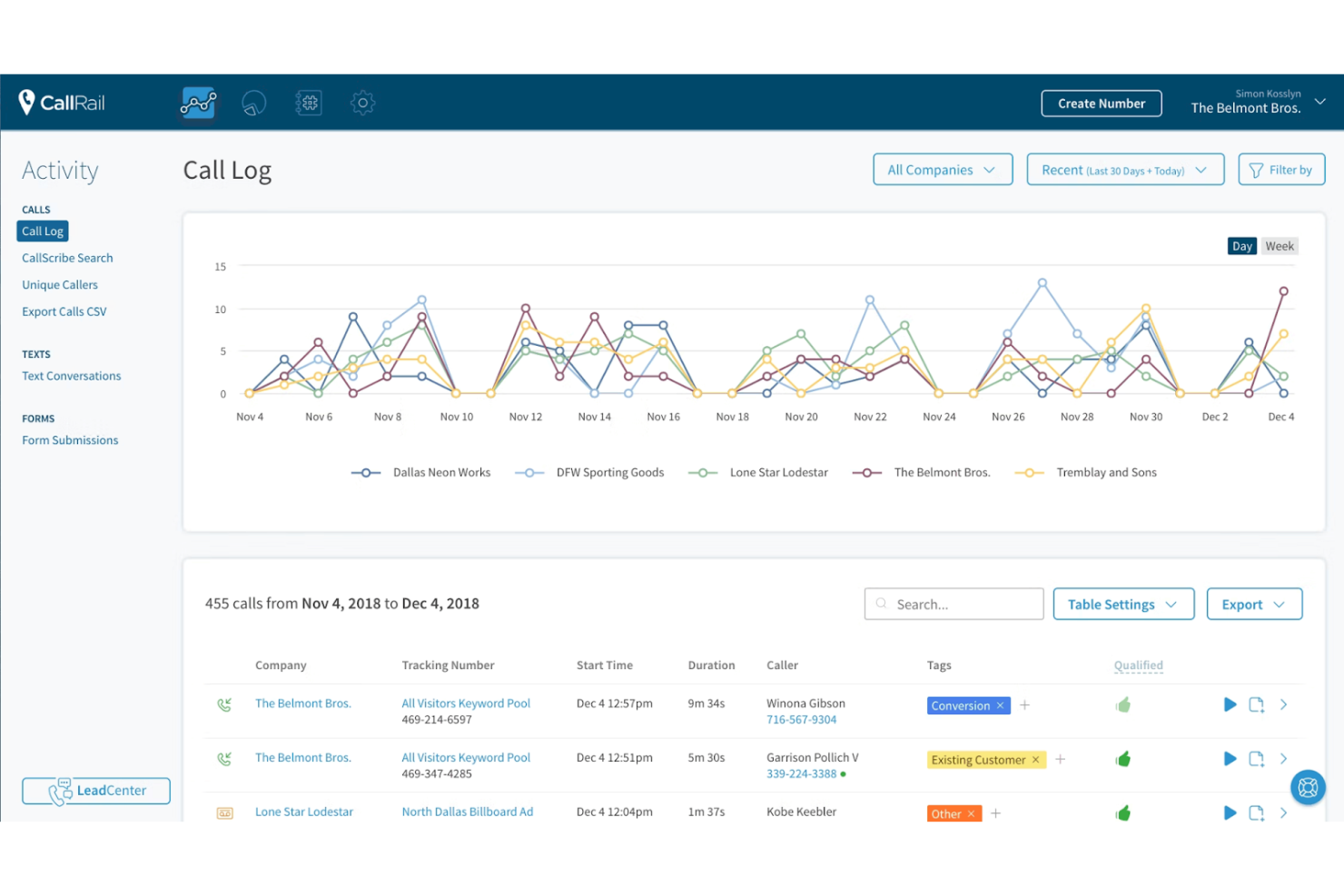
CallRail is built for small businesses that rely on phone interactions to understand customer needs and improve marketing performance. It gives your team clear visibility into which channels drive calls and how those calls convert. If you need an accessible way to evaluate conversations and boost ROI, CallRail keeps things manageable without requiring a large tech stack.
Why I Picked CallRail
I picked CallRail because it gives small teams practical tools to connect marketing activity with real customer calls. You can use Convert Assist to guide leads toward becoming customers, helping your team respond faster and with better context. The call summary feature highlights key points from each interaction, so you can quickly gauge lead quality and service outcomes. These insights help you refine marketing decisions without digging through raw call data. It’s a focused option for teams that need purposeful analytics rather than complex dashboards.
CallRail Key Features
- Call tracking: Monitor and analyze customer calls tied to marketing sources.
- Convert Assist: AI-supported assistance to guide callers toward conversion.
- Call summaries: Automated insights for evaluating lead quality.
- Lead attribution: Understand which channels drive the most valuable calls.
- Multi-channel analytics: View performance across digital and offline sources.
CallRail Integrations
Integrations include Google Ads, Google Analytics, Salesforce, HubSpot, Facebook, Microsoft Advertising, WordPress, Slack, Shopify, and Mailchimp.
Pros and Cons
Pros:
- Easy lead tracking
- Enhances customer insights
- Strong AI features
Cons:
- Limited scalability options
- Limited advanced features
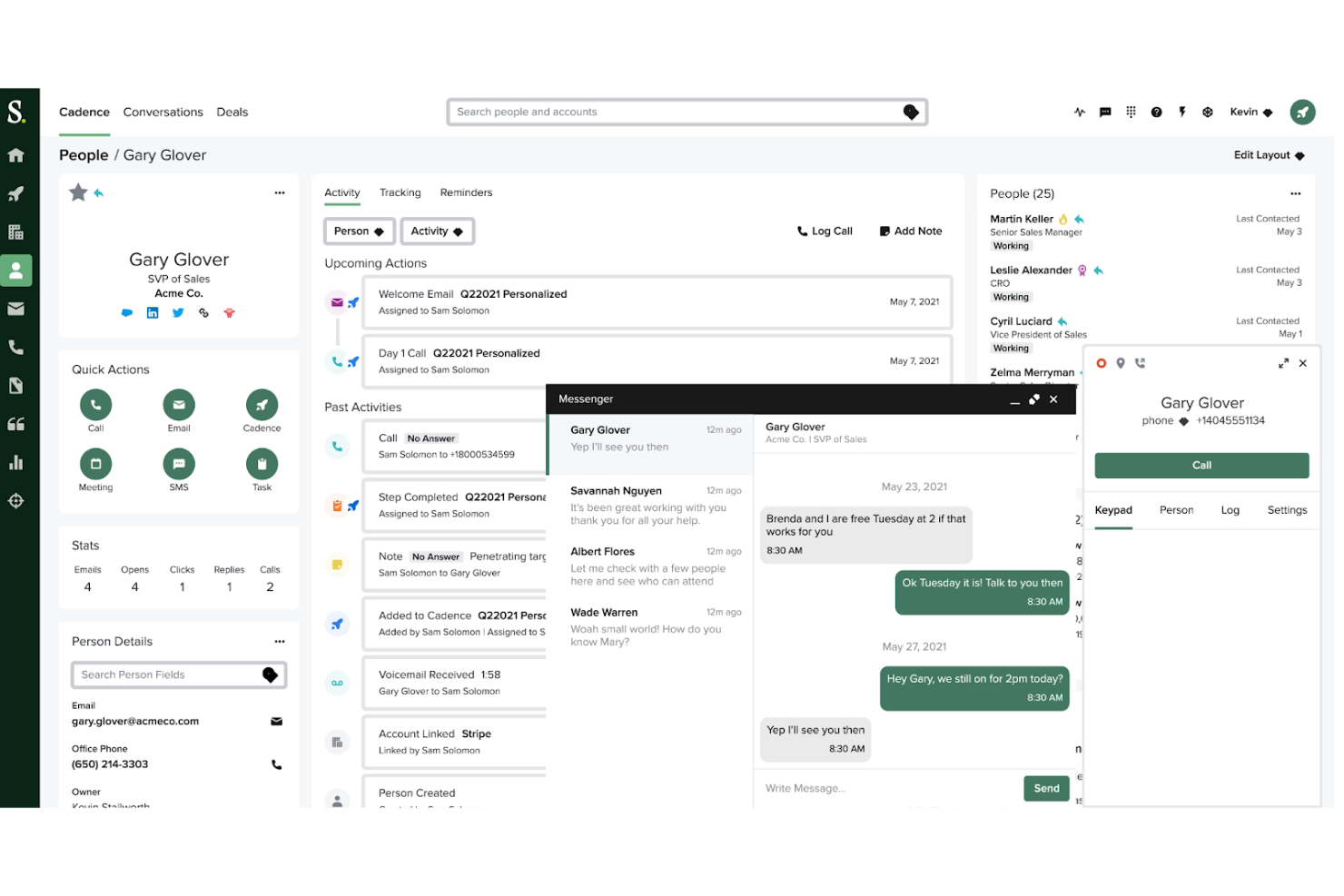
Salesloft enables sales teams to manage and optimize outreach efforts. It improves communication, tracks engagement, and offers tools for closing deals efficiently. The platform organizes sales activities, from calls to emails, simplifying pipeline management and follow-ups.
Why I picked Salesloft: Salesloft provides a structured way for sales teams to manage outreach. Its call tracking system lets you monitor, record, and analyze sales calls for performance insights. Automation tools handle routine tasks like follow-ups, saving time and ensuring consistent communication. The reporting feature delivers valuable data on team activities, helping you make informed decisions. It's useful for teams aiming to improve communication and close deals more efficiently.
Standout features & integrations:
Features include call recording and tracking that lets you analyze your team's performance, real-time conversation insights to help improve the quality of your calls, and custom call dispositions that help you categorize and track call outcomes. You can also use the platform to automate follow-up tasks and manage your team's communication strategy. These tools make it easier for you to stay organized and focused on what matters most—closing deals.
Integrations include Salesforce, Microsoft Dynamics 365, LinkedIn Sales Navigator, Gmail, Outlook, Zoom, Slack, HubSpot, Calendly, and Google Calendar.
Pros and Cons
Pros:
- Facilitates collaboration between team members
- Strong reporting capabilities
- Customizable email cadences
Cons:
- Complex admin setup
- Occasional platform instability
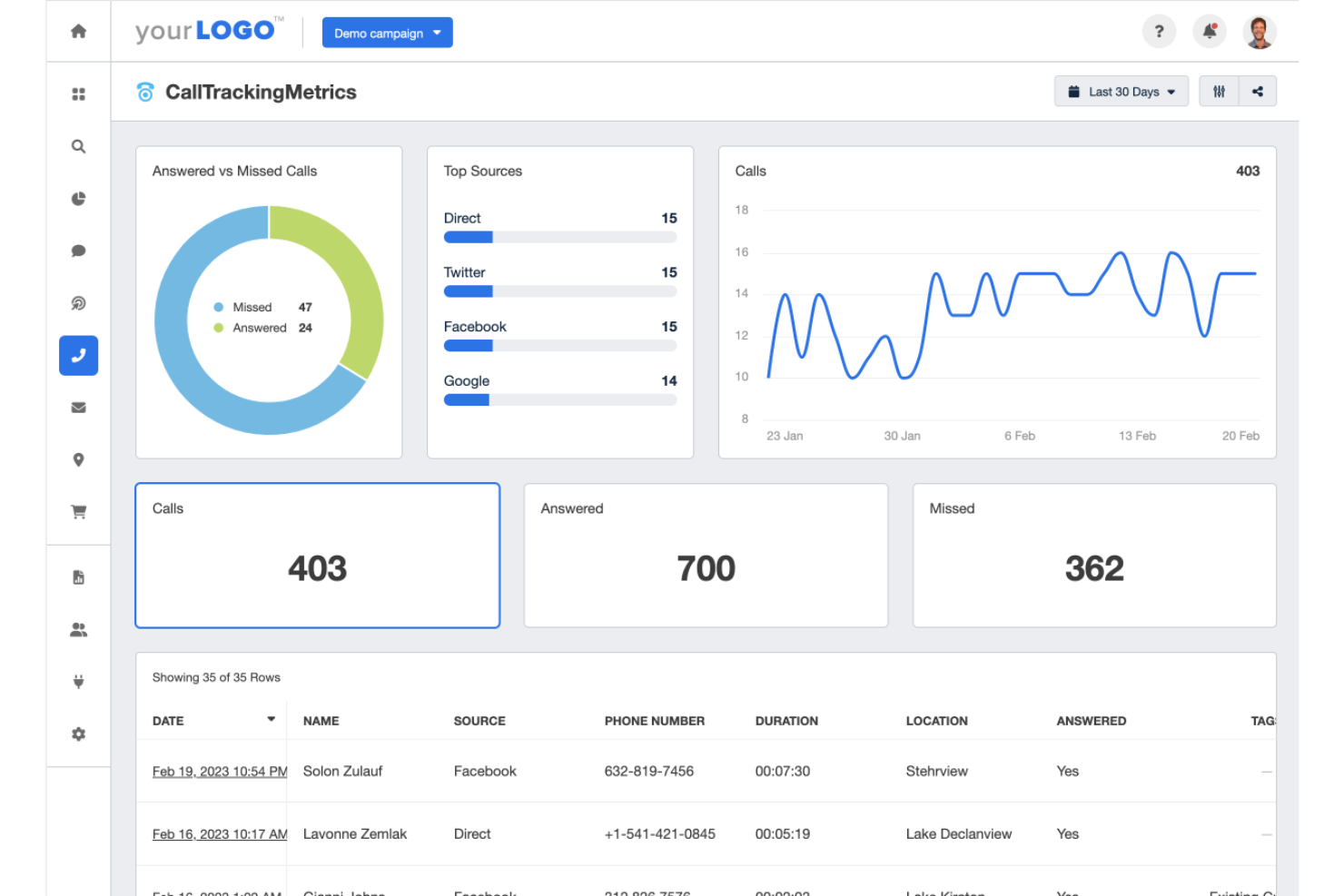
CallTrackingMetrics helps businesses track and manage phone calls, offering insights into marketing and communication efforts. It’s designed for teams looking to optimize campaigns with detailed call analytics and attribution data. The platform supports various business needs, including customer support and marketing.
Why I picked CallTrackingMetrics: CallTrackingMetrics offers advanced call tracking with customizable reports and detailed call flows. You can automatically route calls to the right team members based on specific factors. The platform provides real-time tracking and reporting, giving you a clear view of how your campaigns are performing. It's especially helpful for teams managing multiple communication channels while keeping track of performance metrics across all channels.
Standout features & integrations:
Features include detailed call tracking to see which campaigns drive the most calls, automated call flows to route calls based on specific rules, and real-time reporting that helps you stay on top of performance. You can customize call routing based on business hours, caller attributes, or campaign needs. The platform also provides advanced analytics, making it easy to track results and optimize your campaigns.
Integrations include Salesforce, HubSpot, Google Analytics, Facebook, Microsoft Teams, WordPress, Google Ads, Shopify, Zendesk, and Slack.
Pros and Cons
Pros:
- Easy integration with websites
- Scalable for growing businesses
- Flexible call flow customization
Cons:
- Some call recordings are low-quality
- Complex dashboard for beginners
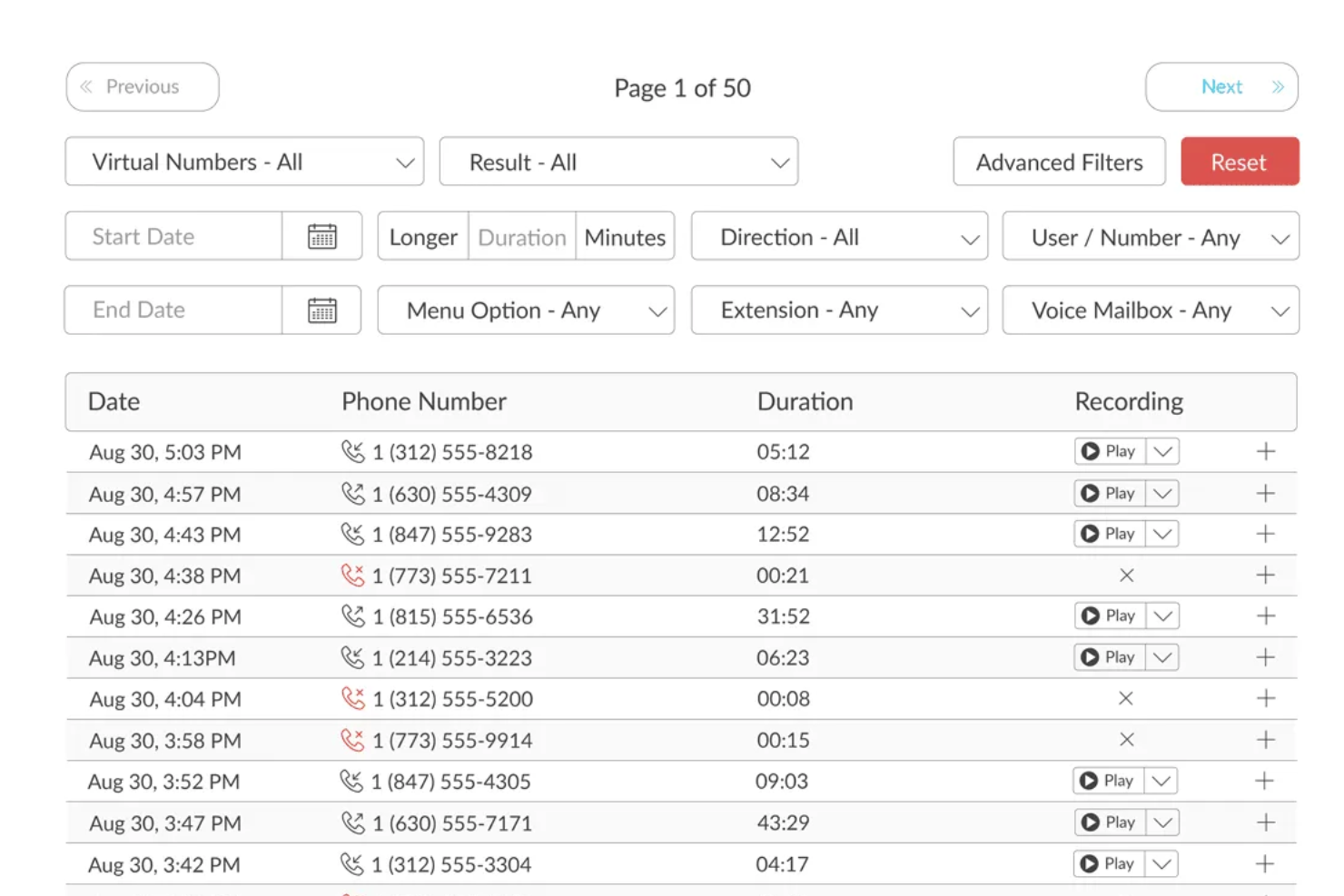
TalkRoute is a virtual phone system designed for business owners and teams, facilitating communication through calls, texts, and video meetings. It offers key functions like call forwarding, text messaging, video conferencing, and voicemail management. Accessible on desktop, mobile, or web apps, TalkRoute provides options for toll-free and local phone numbers to support customer engagement.
Why I picked TalkRoute: TalkRoute's call forwarding and routing capabilities are a solid choice for managing your incoming calls effectively. This feature allows you to direct calls to the right team members or departments, regardless of where your team is located. It ensures that every call reaches the person best equipped to handle it, enhancing customer satisfaction and reducing the time your team spends on manually transferring calls. This not only helps in managing customer interactions smoothly but also boosts your team's efficiency.
Standout features & integrations:
Features include call forwarding and routing, which allows you to make and receive calls via desktop, web, or mobile apps; text messaging, enabling you to send and receive SMS and MMS messages using business numbers; and meetings, which let you conduct video conferences with up to 100 participants without requiring downloads.
Integrations include Google Sheets HubSpot Slack Discord Gmail Asana Integrations include Google Sheets, HubSpot, Slack, Discord, Gmail, and Asana.
Pros and Cons
Pros:
- HIPAA compliance
- Multi-level auto-attendant helps reduce long wait times
- Offers the ability to port existing numbers
Cons:
- Lacks advanced features like single sign-on for larger enterprises
- Dependence on internet connection
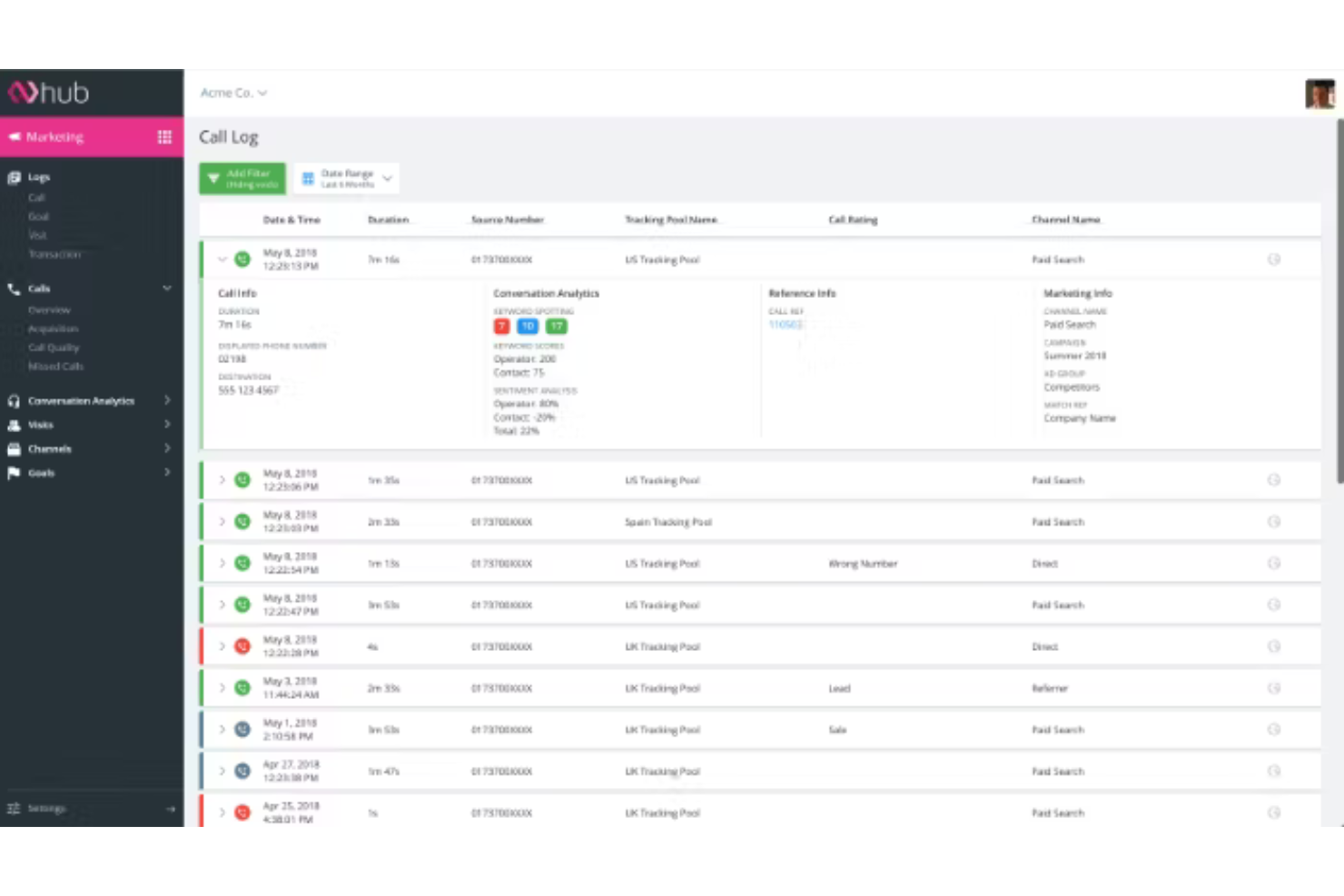
Infinity is a call tracking and analytics platform for understanding customer interactions. It lets users track calls and measure the impact of their marketing, offering insights into what drives inbound calls and conversions. Infinity's customizable tracking tools make it adaptable to different needs.
Why I picked Infinity: Infinity offers advanced customization options that let you tailor your call tracking setup to meet specific requirements. You can track calls across different channels and marketing campaigns, which gives your team a clear picture of what’s working. Its reporting tools provide detailed insights that are essential for optimizing marketing strategies. Plus, the platform's ability to handle complex setups, like IVR trees and advanced call flows, makes it a great option if you're looking to create a system that perfectly fits your needs.
Standout features & integrations:
Features include customizable call tracking, detailed reporting options, and multi-channel tracking. You can gather insights on call performance and use them to refine your marketing efforts.
Integrations include Google Analytics, Google Ads, Salesforce, HubSpot, Marketo, Facebook Ads, Microsoft Dynamics 365, Zendesk, WordPress, and Slack.
Pros and Cons
Pros:
- Handles complex call flows
- Detailed reporting for better insights
- Customizable to fit any setup
Cons:
- Response times can vary during peak periods
- Implementation can be challenging
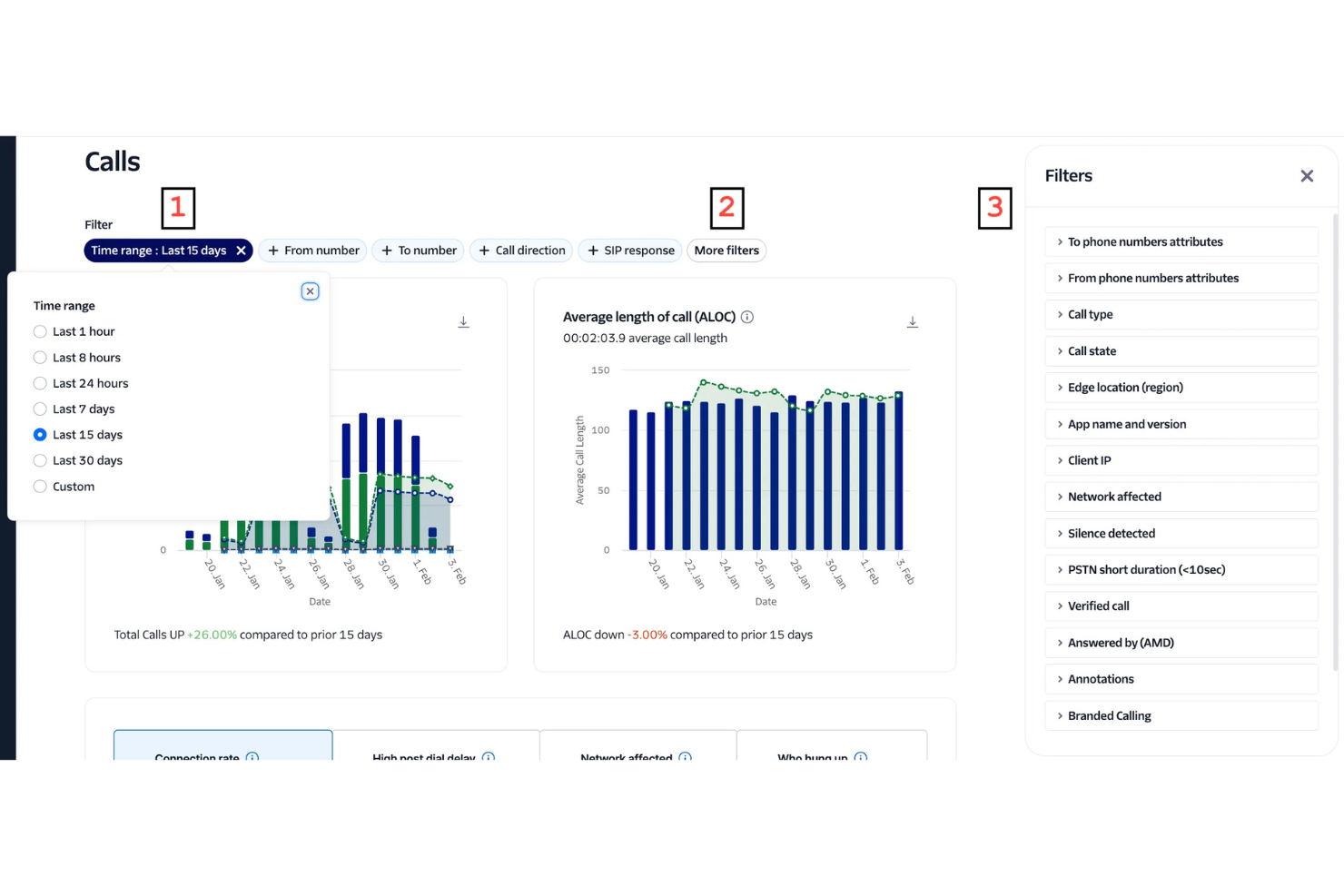
Twilio is a programmable communications platform that enables businesses to track, analyze, and optimize phone interactions alongside SMS, email, and chat. Its call tracking features, embedded within the Twilio Voice API, let teams monitor call performance, measure marketing attribution, and gather insights into customer sentiment—all from a unified engagement hub.
Why I picked Twilio: Twilio combines robust call tracking with its powerful Voice API, offering flexibility for developers and scalability for global businesses. Tools like Voice Insights and Conversational Intelligence provide in-depth analytics, helping leaders improve campaign ROI, customer interactions, and sales performance. Its emphasis on privacy, compliance, and cross-channel orchestration makes it a go-to choice for enterprise-grade communication strategies.
Standout features & integrations:
Features include programmable voice, scalable infrastructure, global coverage, robust security, and advanced analytics through Voice Insights.
Integrations include Salesforce, HubSpot, Zendesk, Microsoft Dynamics, Shopify, Slack, WhatsApp, Google Ads, Marketo, and Facebook Messenger.
Pros and Cons
Pros:
- Supports global scalability and flexible communication flows across multiple channels.
- Voice Insights delivers detailed analytics and caller sentiment data for optimization.
- Combines call tracking with APIs for SMS, voice, and video, creating an integrated engagement platform.
Cons:
- Complex setup and maintenance may require developer expertise.
- Pricing can fluctuate based on usage and volume.


FluentStream is a cloud-based communication platform that helps businesses manage phone systems and customer interactions. It’s designed for companies of all sizes and offers tools for voice calls, video meetings, and messaging. The platform focuses on making communication simple, especially for teams spread across different locations.
Why I picked FluentStream: FluentStream offers features like call forwarding, voicemail transcription, and call recording, which are especially helpful for teams working remotely. Its customizable phone menus make it easy to route calls, and its browser-based interface lets you manage everything from anywhere. You can also track call performance and customer engagement with built-in analytics.
Standout features & integrations:
Features include call forwarding, customizable phone menus, and voicemail transcription. Your team can access the system from any browser, making it easy to stay connected. You can also track call performance and customer interactions through built-in analytics.
Integrations include Salesforce, Zoho CRM, Slack, Microsoft Teams, Google Workspace, HubSpot, Zendesk, Pipedrive, Outlook, and Zapier.
Pros and Cons
Pros:
- Reliable even with remote teams
- Easy access to recorded calls
- Flexible for international offices
Cons:
- Customization can be tricky for non-technical user
- Occasional call quality issues on softphones


Invoca is an AI-powered call tracking platform that drives marketing attribution and conversation insights for performance marketing and customer engagement teams. It connects online campaigns to offline conversions, helping businesses optimize media spend, improve customer experiences, and maximize marketing ROI.
Why I picked Invoca: Invoca stands out for its AI-driven conversation analytics, which turn every customer call into actionable intelligence. Its real-time tracking and multi-channel attribution give revenue teams a clear picture of how digital campaigns drive inbound calls and conversions—crucial for CROs looking to bridge the online-offline gap and sharpen ROI measurement.
Standout features & integrations:
Features include dynamic number insertion for precise attribution, AI-powered conversation analytics for insight into customer intent, and missed opportunity alerts that flag unhandled high-value calls. Call flow management through IVR ensures efficient routing, while enterprise-grade compliance (HIPAA, PCI DSS, SOC 2 Type 2) safeguards sensitive data.
Integrations include Google Ads, Facebook, Salesforce, Adobe Experience Cloud, Microsoft Dynamics, Tealium, HubSpot, Marketo, Slack, and Genesys.
Pros and Cons
Pros:
- Multi-channel attribution connects calls across digital and offline sources for a unified customer view.
- Real-time call tracking delivers granular insight into campaign performance and ROI.
- Invoca provides AI-driven conversation analytics that enhance understanding of customer interactions.
Cons:
- Pricing may be high for small to mid-sized businesses.
- The platform’s setup and integration process can be complex for smaller teams.


WhatConverts is a call tracking and lead management platform that helps marketers attribute leads, calls, and chats back to their original marketing sources. It provides tracking, reporting, and analytics tools that make it easier to connect marketing spend with real ROI.
Why I picked WhatConverts: WhatConverts stands out for its dynamic number insertion, which automatically assigns unique phone numbers to each marketing channel—giving CROs and RevOps teams a clear picture of which campaigns drive inbound calls. Combined with granular reporting and lead tracking across forms, chats, and calls, it delivers the visibility revenue leaders need to make confident, data-backed decisions about where to invest marketing dollars.
Standout features & integrations:
Features include dynamic number insertion, real-time analytics and reporting, lead management tools for filtering and exporting to CRMs, and full compliance with HIPAA and GDPR standards. These capabilities help teams better attribute revenue, qualify leads faster, and improve marketing performance clarity.
Integrations include Google Analytics, Google Ads, HubSpot, Salesforce, Facebook Ads, WordPress, Slack, Mailchimp, and ActiveCampaign—with API access and 1000+ supported connections.
- Lead Management: You can easily manage and organize your leads with tools that allow searching, filtering, and exporting to CRM systems.
- Marketing Reports: The platform provides detailed marketing and custom reports that help you understand the performance of your campaigns.
- Security Compliance: WhatConverts complies with HIPAA and GDPR standards, ensuring your data is handled with the utmost security and privacy.
- Industry Versatility: Suitable for a variety of industries, it provides tailored solutions for sectors such as healthcare, real estate, and automotive.
WhatConverts Integrations
Integrations include Google Analytics, Google Ads, HubSpot, Salesforce, Facebook Ads, CallRail, WordPress, Slack, Mailchimp, and ActiveCampaign.
Pros and Cons
Pros:
- Integrates with over 1000 tools, including major ad and CRM platforms, enhancing usability and flexibility.
- Provides detailed real-time analytics and reporting that link leads back to specific campaigns and keywords.
- Offers dynamic number insertion to track the source of incoming calls by assigning unique numbers to each marketing channel.
Cons:
- Linking multiple emails per agency account is limited, which can frustrate some users.
- Some users experience a learning curve with reporting features, which can be tricky to navigate at first.
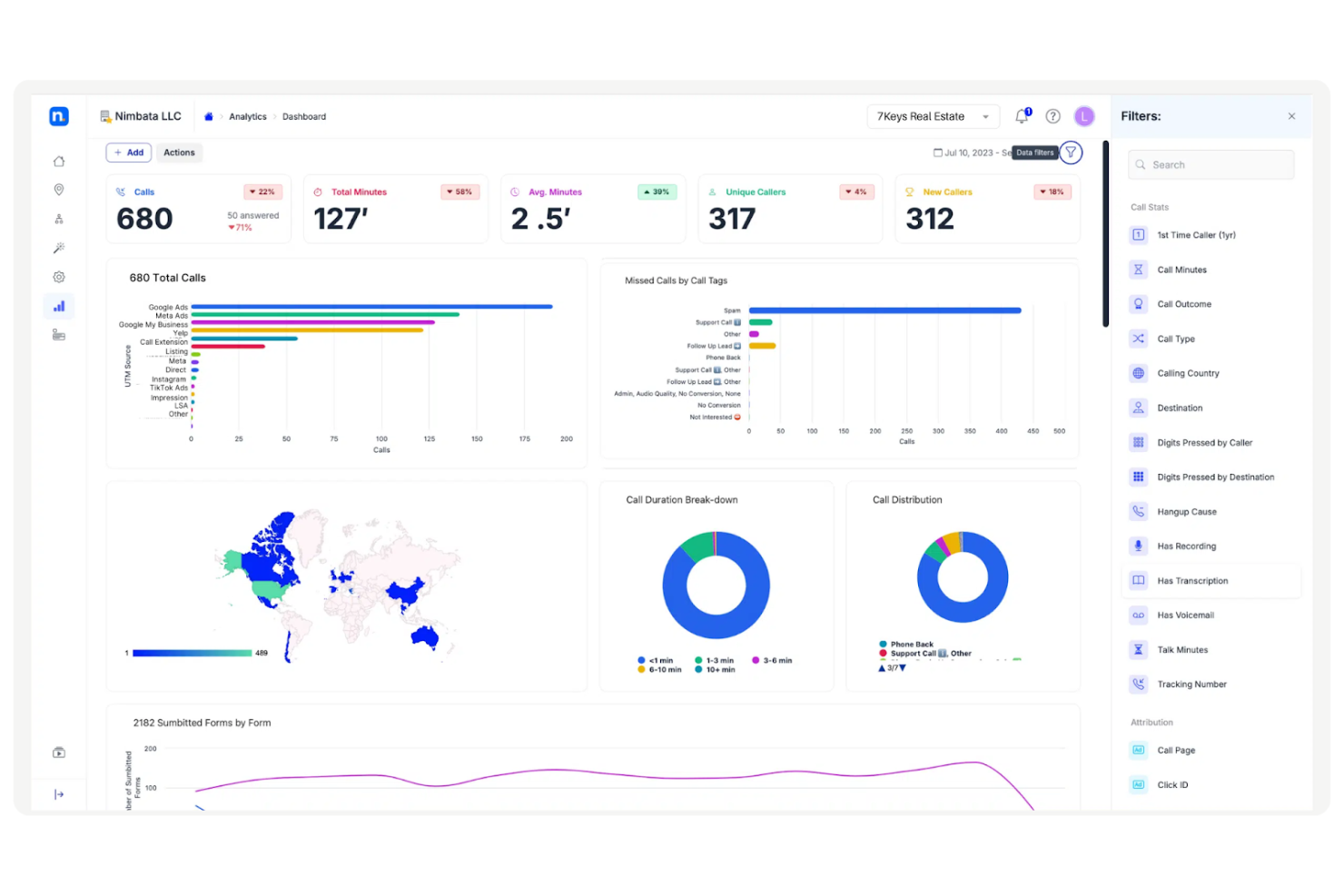
Nimbata is a call tracking and analytics platform for tracking calls from marketing campaigns. It's designed for marketing agencies, offering tools to analyze call data and measure campaign impact.
Why I picked Nimbata: Nimbata provides advanced call tracking to capture detailed insights into your marketing efforts, helping your team improve ad targeting. You can customize reports to see how your campaigns and client interactions are performing easily. The call tagging feature lets you segment calls by specific criteria, making it easier to fine-tune your strategy. Plus, with real-time analytics, you can adjust campaigns on the go for better results.
Standout features & integrations:
Features include call tracking that captures call source data, customizable reporting tools, and real-time analytics for campaign optimization. These features help marketing agencies measure and improve the effectiveness of their ads.
Integrations include Google Analytics, Google Ads, HubSpot, Zapier, Slack, Salesforce, WordPress, Marketo, Microsoft Dynamics 365, and Shopify.
Pros and Cons
Pros:
- Wide selection of filters on the dashboard
- Flexible campaign analytics
- Detailed call tagging and reporting
Cons:
- Can’t use tracking numbers for call-back
- Blocking country codes only available at higher tiers


Ringba is a call tracking and analytics platform that helps optimize call campaigns and efficiently manage inbound call traffic. It’s used by companies with high call volumes, offering advanced tools for routing, tracking, and reporting. The platform provides real-time insights into marketing efforts, enabling data-driven decisions for campaigns.
Why I picked Ringba: Ringba offers features for teams managing complex call campaigns. Real-time call routing helps your team handle high call volumes and direct traffic to the right targets. You can create custom reports for detailed insights into call performance, showing what's working and what’s not. Its open API lets you easily connect with your current systems, making it flexible to your needs.
Standout features & integrations:
Features include real-time call routing, detailed call analytics, and customizable reporting options. These features help you optimize your call campaigns and get actionable insights from your data. The dashboard is easy to navigate and allows you to set up routing plans with minimal effort.
Integrations include Google Ads, Meta Business Suite, Salesforce, HubSpot, Zoho, QuickBooks, Mailchimp, Slack, and Zapier.
Pros and Cons
Pros:
- Open API for flexibility
- No contracts or minimum commitments
- Scales well for large call volumes
Cons:
- Advanced IVR setup is needed for some users
- Limited SMS functionality

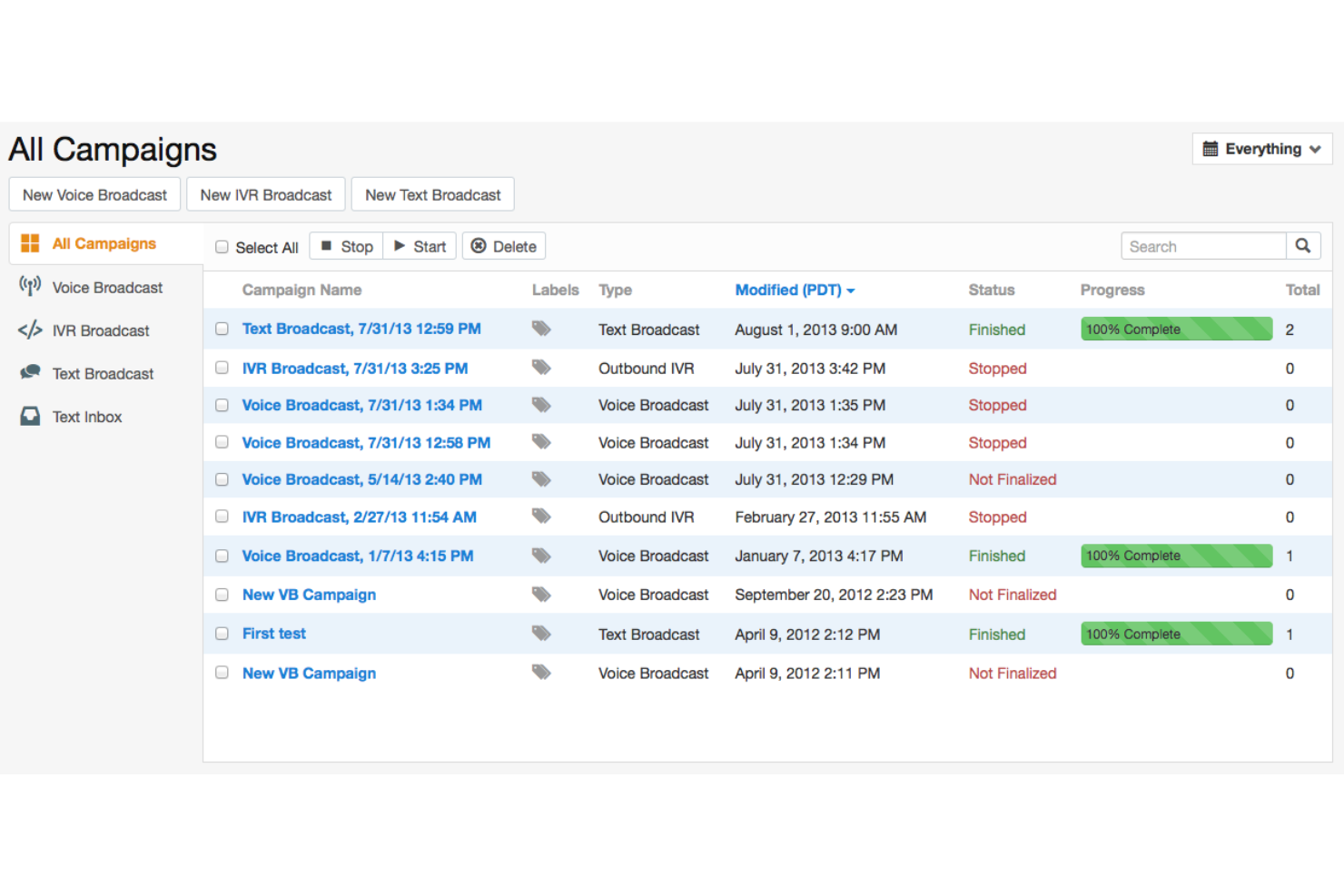
CallFire is a communication platform that helps businesses engage their audience through phone and SMS campaigns. It’s designed for teams managing large-scale outreach, offering tools to send messages and track responses. The platform supports both marketing and customer service efforts.
Why I picked CallFire: CallFire lets you launch and manage SMS campaigns with ease. You can quickly set up campaigns, track results in real-time, and adjust messaging based on performance. The call tracking feature helps you monitor phone campaign success, allowing you to refine your strategies. Automated text responses keep customers engaged without extra effort. Its simple interface makes it easy to manage communication campaigns, even if you're not tech-savvy.
Standout features & integrations:
Features include tracking call metrics to measure campaign performance, recording calls for training and quality assurance, and routing calls to different destinations based on your preferences. You can also track the effectiveness of your phone numbers and monitor real-time results to optimize your campaigns. CallFire’s easy-to-use dashboard lets you access all your tracking data in one place, making it simple for your team to manage communication efforts.
Integrations include Salesforce, Zoho, Google Analytics, Slack, Microsoft Dynamics 365, HubSpot, Shopify, Zendesk, Marketo, and Zapier.
Pros and Cons
Pros:
- Real-time campaign tracking
- Easy call recording for training
- Flexible call routing and customizable auto-dial settings
Cons:
- Complex data export process
- Limited customization options

SalesTrail is a mobile-first call tracking tool that automatically captures and syncs both SIM and WhatsApp Business calls for sales teams. It provides complete visibility into outbound and inbound activity, linking every conversation to CRM records for accurate reporting, performance tracking, and coaching.
Why I picked SalesTrail: SalesTrail stands out for its effortless call logging and mobile compatibility, eliminating the need for additional VoIP apps or manual data entry. Its automatic syncing with major CRMs like Salesforce, HubSpot, and Zoho keeps sales activity clean, accurate, and up to date. The platform’s WhatsApp call tracking is especially valuable for field and hybrid sales teams who rely on mobile communication to close deals.
Standout features & integrations:
Features include automatic call syncing to CRM systems, SIM and WhatsApp call tracking, and detailed analytics dashboards that measure call count, duration, and outcomes. SalesTrail also supports background operation and caller ID functionality to streamline call management while ensuring reps stay focused.
Integrations include Salesforce, HubSpot, Zoho, and API/webhooks for custom data flows.
Pros and Cons
Pros:
- It tracks both SIM and WhatsApp calls in one platform, offering a complete view of call activity.
- Automatic call logging eliminates manual data entry, saving time for sales teams.
- Seamless CRM integration ensures accurate, up-to-date records across systems.
Cons:
- Occasional app crashes and bugs impact overall usability.
- Some users report call recording quality issues that affect playback reliability.

CallSource is a platform for monitoring and analyzing phone interactions, offering tools to evaluate call quality, employee performance, and customer behavior across various industries.
Why I picked CallSource: CallSource provides advanced call analytics, letting your team review recorded calls and assess call handling. Custom tracking numbers measure marketing campaign success and identify call sources. Detailed reports track key metrics like missed calls, response times, and caller satisfaction, helping improve customer service. Real-time tracking shows how each conversation impacts your business.
Standout features & integrations:
Features include call tracking that helps you measure the effectiveness of your marketing campaigns, call recording to monitor customer interactions, and detailed reporting to track performance metrics like call handling and missed opportunities. You can easily review call quality and gain insights into employee performance. These features are designed to give your team the information needed to improve customer service and sales effectiveness.
Integrations include Salesforce, HubSpot, Google Ads, Google Analytics, Facebook, CallRail, Twilio, Zendesk, Microsoft Dynamics, and SugarCRM.
Pros and Cons
Pros:
- Flexible call coaching features
- Detailed call performance insights
- Useful for tracking missed opportunities
Cons:
- No dedicated mobile app
- Complicated dashboard navigation


CallAction is a call tracking and engagement automation platform that captures and manages inbound leads across phone, text, and email for sales-driven teams. It consolidates communications and automates follow-ups, helping professionals—especially in real estate, insurance, and service industries—track interactions and convert more leads without missing a touchpoint.
Why I picked CallAction: I picked CallAction for its seamless blend of call tracking and automated engagement. By capturing every call, text, and email inquiry and syncing them to your CRM, it eliminates manual logging and ensures consistent lead follow-up. Its automation workflows respond instantly to missed calls or texts, keeping conversations active while freeing up sales teams to focus on closing deals.
Standout features & integrations:
Features include lead capture and call tracking, automated text and email engagement, real-time lead enrichment, a built-in sales dialer system, and marketing performance analytics—all designed to streamline inbound communication and reporting.
Integrations include BoomTown, Followup Boss, LionDesk, HubSpot, Chime CRM, Podio, Real Geeks, Sierra Interactive, Top Producer, and Wise Agent, with API access for custom integrations.
Pros and Cons
Pros:
- CRM integrations streamline lead management and tracking.
- Real-time lead enrichment keeps contact information accurate and up to date.
- Automation tools reduce manual follow-up and let sales teams focus on closing deals.
Cons:
- The platform’s depth of features can create a learning curve for new users.
- Pricing may be high for smaller businesses.


800Response is a call-tracking and lead generation platform offering toll-free and local tracking numbers. Its main features include call routing, tracking, and customer analytics, helping users optimize marketing and manage incoming calls more effectively. It's used across various industries to capture detailed caller data and improve customer experience by directing calls to the right teams based on location or other criteria.
Why I picked 800Response: 800Response offers powerful call routing, letting you direct calls based on location to the nearest business. It also features speech analytics that automatically reviews call recordings, helping your team spot trends and areas for improvement. With real-time caller data tracking, you can fine-tune your marketing campaigns and get the most out of your toll-free numbers.
Standout features & integrations:
Features include call routing based on geographic location, speech analytics to improve quality assurance and detailed call tracking for marketing optimization. These tools help you analyze and manage call performance effectively.
Integrations include Google Analytics, Salesforce, HubSpot, Zoho CRM, Zapier, Microsoft Dynamics, Five9, Zendesk, Velocify, and Act-On
Pros and Cons
Pros:
- Customizable tracking numbers
- Strong speech analytics for call reviews
- Effective geographic call routing
Cons:
- Limited ability to make changes independently
- Outdated and hard-to-navigate user interface

Retreaver is a cloud-based platform for tracking, routing, and analyzing inbound calls in real-time. It offers advanced call tagging and reporting, helping users manage caller profiles and monitor marketing ROI. It's especially useful for those looking to attribute and optimize calls across multiple campaigns.
Why I picked Retreaver: Retreaver customizes call routing and tracking, making it easy to tailor campaigns to your needs. Its dynamic call tagging and reporting give you deeper insights into your marketing. Plus, it manages call flows and automatically triggers ROI analysis after each call, so you're always improving your affiliate marketing.
Standout features & integrations:
Features include call tagging for better data analysis, dynamic call routing, and real-time ROI tracking for campaigns. You can easily monitor and optimize inbound call sources with these tools.
Integrations include Google Analytics, Salesforce, HubSpot, Zapier, Google Ads, Marketo, Facebook Ads, Slack, Twilio, and Zendesk.
Pros and Cons
Pros:
- Easy to scale with high call volumes
- Real-time ROI tracking
- Highly customizable call routing
Cons:
- Some processes feel counter-intuitive at first
- Advanced features require technical expertise
Other Call Tracking Software
Here are some additional call tracking software options that didn’t make it onto my shortlist, but are still worth checking out:
- CallScaler
For conversion tracking


Call Tracking Software Selection Criteria
When selecting the best sales call tracking software to include in this list, I considered common buyer needs and pain points like the ability to track marketing ROI and improve call handling efficiency. I also used the following framework to keep my evaluation structured and fair:
Core Functionality (25% of total score)
To be considered for inclusion in this list, each solution had to fulfill these common use cases:
- Track inbound and outbound calls
- Provide call analytics and reporting
- Record calls for quality assurance
- Integrate with CRM systems
- Offer dynamic number insertion
Additional Standout Features (25% of total score)
To help further narrow down the competition, I also looked for unique features, such as:
- AI-driven call insights
- Customizable call routing
- Real-time call monitoring
- Multi-channel attribution
- Advanced lead scoring
Usability (10% of total score)
To get a sense of the usability of each system, I considered the following:
- Intuitive user interface
- Minimal learning curve
- Clear navigation paths
- Responsive design
- Customizable dashboards
Onboarding (10% of total score)
To evaluate the onboarding experience for each platform, I considered the following:
- Availability of training materials
- Interactive product tours
- Access to webinars and tutorials
- Availability of chatbots
- Step-by-step setup guides
Customer Support (10% of total score)
To assess each software provider’s customer support services, I considered the following:
- 24/7 support availability
- Multiple support channels
- Response time efficiency
- Quality of support resources
- Proactive support outreach
Value For Money (10% of total score)
To evaluate the value for money of each platform, I considered the following:
- Competitive pricing
- Features offered in each plan
- Availability of free trials
- Flexible payment options
- Overall cost-effectiveness
Customer Reviews (10% of total score)
To get a sense of overall customer satisfaction, I considered the following when reading customer reviews:
- Consistency in positive feedback
- Commonly reported issues
- Praise for specific features
- Overall satisfaction ratings
- Mention of return on investment
How to Choose Call Tracking Software
It’s easy to get bogged down in long feature lists and complex pricing structures. To help you stay focused as you work through your unique software selection process, here’s a checklist of factors to keep in mind:
| Factor | What to Consider |
| Scalability | Will the software grow with your business needs? |
| Integrations | Does it integrate with your existing systems? |
| Customizability | Can you tailor the software to meet your needs? |
| Ease of Use | Is the interface intuitive for your team? |
| Budget | Does the cost align with your financial resources? |
| Security Safeguards | Are there sufficient measures to protect your data? |
| Customer Support | Is there reliable support available when needed? |
| Reporting Features | Does it offer the insights you need for decision making? |
Trends in Call Tracking Software
In my research, I sourced countless product updates, press releases, and release logs from different call tracking software vendors. Here are some of the emerging trends I’m keeping an eye on:
- AI-Powered Analytics: Many vendors are incorporating AI to provide deeper insights into call data. This helps businesses predict customer needs and improve decision-making. For instance, Invoca uses AI to analyze call outcomes for better marketing strategies.
- Voice Recognition: Advanced voice recognition is becoming more common, allowing for better call categorization and sentiment analysis. This trend helps businesses understand customer emotions during calls. Companies like CallRail are leveraging voice recognition for enhanced customer insights.
- Omnichannel Tracking: The ability to track customer interactions across multiple channels is gaining traction. This trend provides a holistic view of customer journeys, which is crucial for marketing optimization. Vendors like WhatConverts are integrating omnichannel tracking to meet this demand.
- GDPR Compliance Features: With increasing data privacy concerns, tools are being developed with GDPR compliance in mind. This ensures that businesses can track calls without violating privacy regulations. Phonexa has focused on building GDPR features into its platform.
- Real-Time Data Visualization: There's a growing demand for real-time data dashboards that provide instant insights. This trend helps teams make quick decisions based on live data. Ringba offers real-time visualization tools to keep users informed instantly.
What is Call Tracking Software?
Call tracking software monitors and analyzes phone calls to gain insights into customer interactions and marketing performance. Used by marketing, sales, and customer service teams, it improves communication strategies and tracks campaign effectiveness. Features like AI analytics, voice recognition, and omnichannel tracking help understand customer needs, categorize interactions, and provide a full view of customer journeys. This data helps improve marketing and customer engagement.
Features of Call Tracking Software
When selecting call tracking software, keep an eye out for the following key features:
- Call recording: Capture and store audio recordings of calls so you can review interactions, check for quality, and train your team to handle calls better. This also helps you resolve “he said, she said” moments with real data.
- Dynamic number insertion: Automatically swaps out phone numbers on your website depending on the visitor’s source, letting you accurately track which marketing channels bring in calls. No more guessing where your leads really came from!
- Multi-channel attribution: Connects calls to the specific marketing campaigns, ads, or keywords that drove them. You get a crystal-clear view of what’s working, so you can spend your budget smarter.
- Real-time analytics dashboard: Gives you instant access to metrics like call volume, duration, time of call, and more—all in one clean dashboard. This helps you spot trends fast and react in the moment, not days later.
- Call routing: Directs incoming calls to the right team member or department based on rules you set—think location, time, or call purpose. Say goodbye to callers getting bounced around like a game of hot potato.
- Detailed caller profiles: Builds a profile for each caller with important details like previous interactions, location, and source, making every conversation more personal and relevant.
- Integrations with CRM and marketing tools: Seamlessly connects with your favorite platforms—like Salesforce or HubSpot—so your call data flows straight into your workflow, saving you manual entry and syncing headaches.
- Spam and fraud detection: Helps filter out unwanted calls and robocalls, so your team can focus on real leads, not wasting time on fake ones.
- Custom reporting: Allows you to create detailed, tailored reports based on the data that matters most to you, so you can dig deep and share meaningful insights with your team.
Common Call Tracking Software AI Features
Beyond the standard call tracking software features listed above, many of these solutions are incorporating AI with features like:
- AI-powered call transcription: Automatically converts spoken conversations into searchable text, saving you hours of manual work and letting you quickly scan for insights or compliance.
- Predictive lead scoring: Uses AI to analyze call data and predict which callers are most likely to turn into customers, so you know where to focus your energy for the best results.
- Sentiment analysis: Analyzes the tone and mood of conversations in real time, helping you spot frustrated callers, happy customers, or sales opportunities without guesswork.
- Automated call tagging: AI listens for keywords or behaviors and assigns relevant tags to calls, making reporting and follow-up easier (without endless hours of manual tagging).
- Conversational analytics: Dives deep into call content to find patterns, trends, and actionable insights, giving you a powerful peek into what your customers are really thinking and asking for.
Benefits of Call Tracking Software
Implementing call tracking software provides several benefits for your team and your business. Here are a few you can look forward to:
- Improved marketing ROI: By tracking call sources with dynamic number insertion, you can identify which campaigns are driving results and allocate budgets more effectively.
- Enhanced customer insights: AI-powered analytics and voice recognition provide a deeper understanding of customer behavior and sentiment, leading to better service and engagement.
- Data-driven decisions: Real-time dashboards and customizable reporting allow your team to make informed choices quickly, optimizing strategies and outcomes.
- Regulatory compliance: GDPR compliance tools ensure that your call tracking activities adhere to privacy laws, protecting both your business and your customers.
- Quality assurance and training: Call recording features let you review interactions, helping improve service quality and train your staff more effectively.
- Comprehensive customer journey view: Omnichannel tracking offers insights into customer interactions across various platforms, aiding in a unified marketing approach.
- Conversion optimization: Conversion tracking measures the success of marketing efforts in driving actions, allowing you to refine tactics for better results.
Costs and Pricing of Call Tracking Software
Selecting call tracking software requires an understanding of the various pricing models and plans available. Costs vary based on features, team size, add-ons, and more. The table below summarizes common plans, their average prices, and typical features included in call tracking software solutions:
Plan Comparison Table for Call Tracking Software
| Plan Type | Average Price | Common Features |
| Free Plan | $0 | Basic call tracking, limited analytics, and call recording. |
| Personal Plan | $10-$30/user/month | Call analytics, dynamic number insertion, and call recording. |
| Business Plan | $50-$100/user/month | Advanced analytics, CRM integration, call routing, and customizable reporting. |
| Enterprise Plan | $150-$300/user/month | AI-driven insights, omnichannel tracking, GDPR compliance, and real-time dashboards. |
Call Tracking Software FAQs
Here are some answers to common questions about call tracking software:
How does call tracking software work with my existing phone system?
Call tracking software integrates with your existing phone system to monitor and analyze calls. It assigns unique numbers to different marketing channels, allowing you to trace which campaigns generate the most calls. The software collects data from these interactions, providing insights into caller behavior and campaign performance. Your team can access this data through the software’s dashboard, helping you make informed decisions.
Can call tracking software improve customer service?
Yes, call tracking software can enhance customer service by providing insights into call performance and customer interactions. By using inbound call tracking to analyze call recordings and data, your team can identify areas for improvement and address customer concerns more effectively. Additionally, features like call routing ensure that customers reach the right department quickly, improving their overall experience.
Is call tracking software compliant with privacy regulations?
Many call tracking software solutions are designed with privacy regulations in mind, such as General Data Protection Regulation (GDPR). They offer features that anonymize caller data and ensure calls are recorded legally. Your team must choose a provider that complies with your region’s privacy laws. Always review the software’s compliance features before making a decision.
How can call tracking software help with marketing attribution?
Call tracking software helps with marketing attribution by assigning unique phone numbers to different campaigns. This lets your marketing teams see which channels drive calls and conversions, providing a clear picture of marketing effectiveness. With this data, your digital marketing team can allocate budgets, such as ad spend and Pay-per-click (PPC), more efficiently and focus on strategies that deliver the best results.
What kind of analytics can I expect from a call tracking solution?
Call tracking software provides various analytics including conversation intelligence metrics such as call volume, duration, and outcomes. It can also offer insights into caller demographics and geographical data. Some advanced solutions use AI to analyze call sentiment and predict customer needs. This information helps your team refine marketing strategies, improve customer interactions, and ultimately create quality leads and call conversions.
How does call tracking software integrate with CRM systems?
Call tracking software can integrate with CRM systems to automatically log call data and interactions. This ensures that your sales and support teams have a complete view of customer history. Integration helps streamline workflows by reducing manual data entry and improving data accuracy. Your team can use this information to personalize customer interactions and improve service.
What’s Next?
Want to take your RevOps game to the next level? Subscribe to The CRO Club newsletter for expert advice, software reviews, and other resources to help you deliver predictable growth at scale.